


Automate ticket creation effortlessly at regular intervals
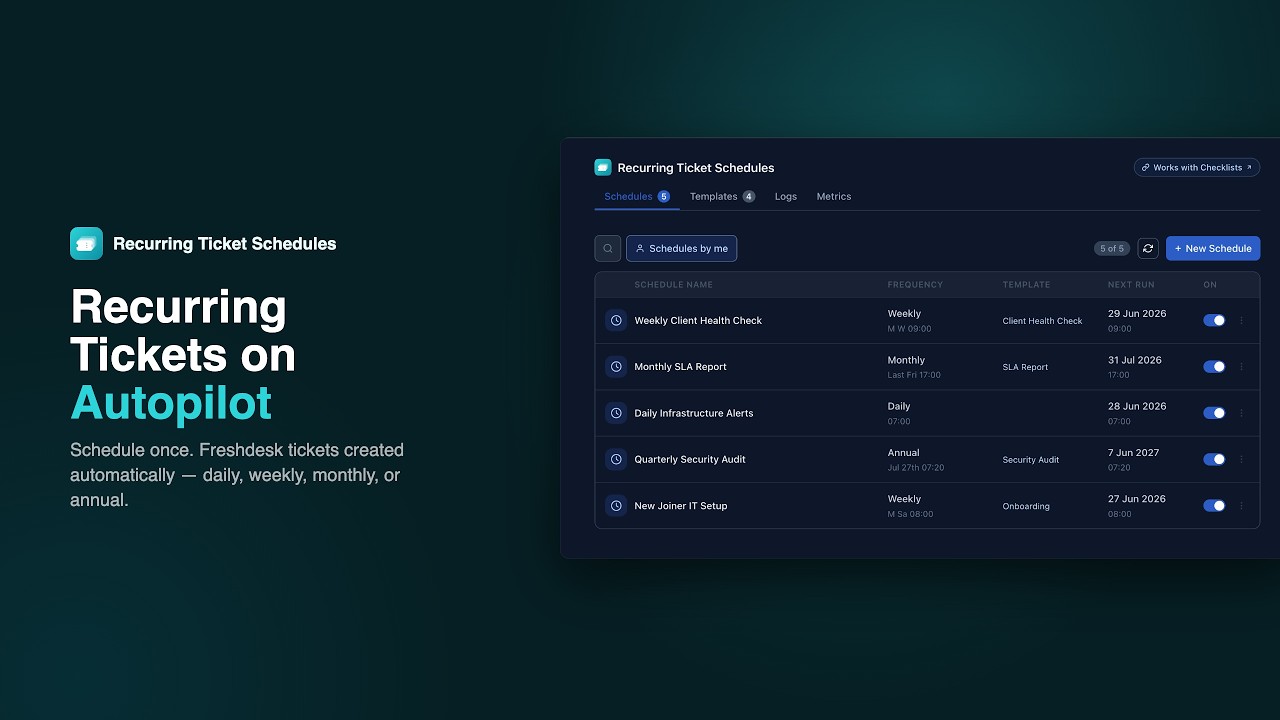
Recurring Ticket Schedules turns Freshdesk into a powerful task automation hub. Set up tickets that create themselves — every day, week, month, or year — so your team can focus on execution instead of coordination.
21-day free trial · No credit card required
Set it up once. Runs forever.
Three steps to fully automated recurring ticket creation in Freshdesk.
Configure a schedule
Choose a frequency — daily, weekly, monthly, or annual. Set the time, ticket fields, and an optional reusable template.
Tickets create themselves
At the scheduled time, Freshdesk tickets are created automatically. No manual steps, no reminders needed.
Track every run
View logs for every ticket creation attempt and check the metrics dashboard to monitor success rates across all schedules.
Before & after automation
- Creating routine tickets manually every Monday, month-end, or quarterly
- Reminding teammates to log recurring tasks before deadlines pass
- No audit trail for whether a recurring ticket was actually created
- Admins bottlenecked every time an agent needs a new scheduled task
- Missed SLA checks and compliance reviews because no one remembered to open a ticket
- Tickets create themselves on daily, weekly, monthly, or annual schedules
- Agents manage their own schedules directly — no admin involvement needed
- Every run is logged with timestamp, status, and a link to the created ticket
- Admins set up org-wide schedules once and they run forever
- Watchdog automatically recovers any missed run so nothing falls through the cracks
Everything you need
Built for real support team workflows. Every feature designed for speed and clarity.
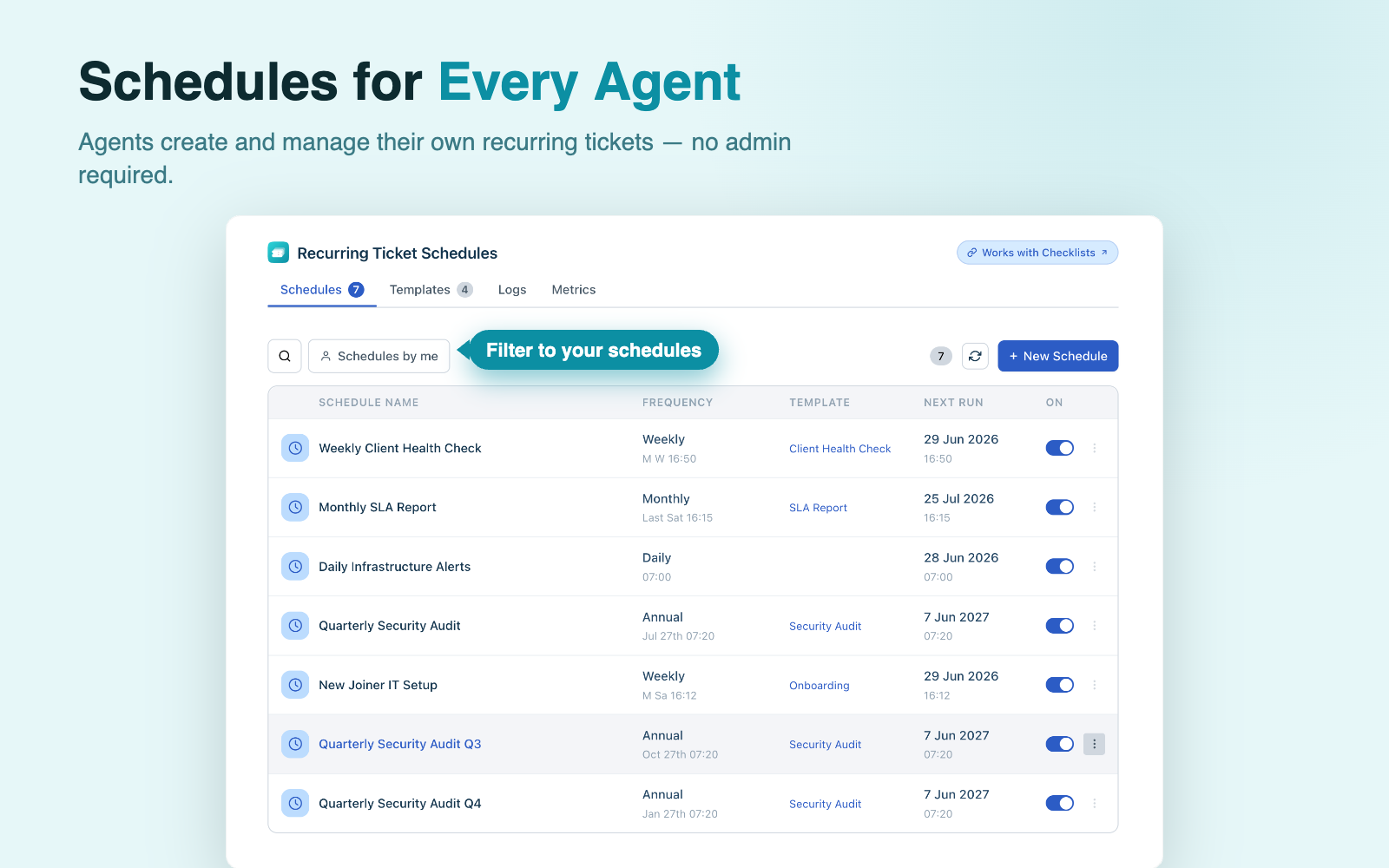
Every agent. Their own schedules.
Agents create, edit, clone, enable, and disable their own recurring ticket schedules — directly from the Freshdesk left nav panel. No admin ticket required, no waiting. Each agent sees their own schedules and can filter to just theirs.
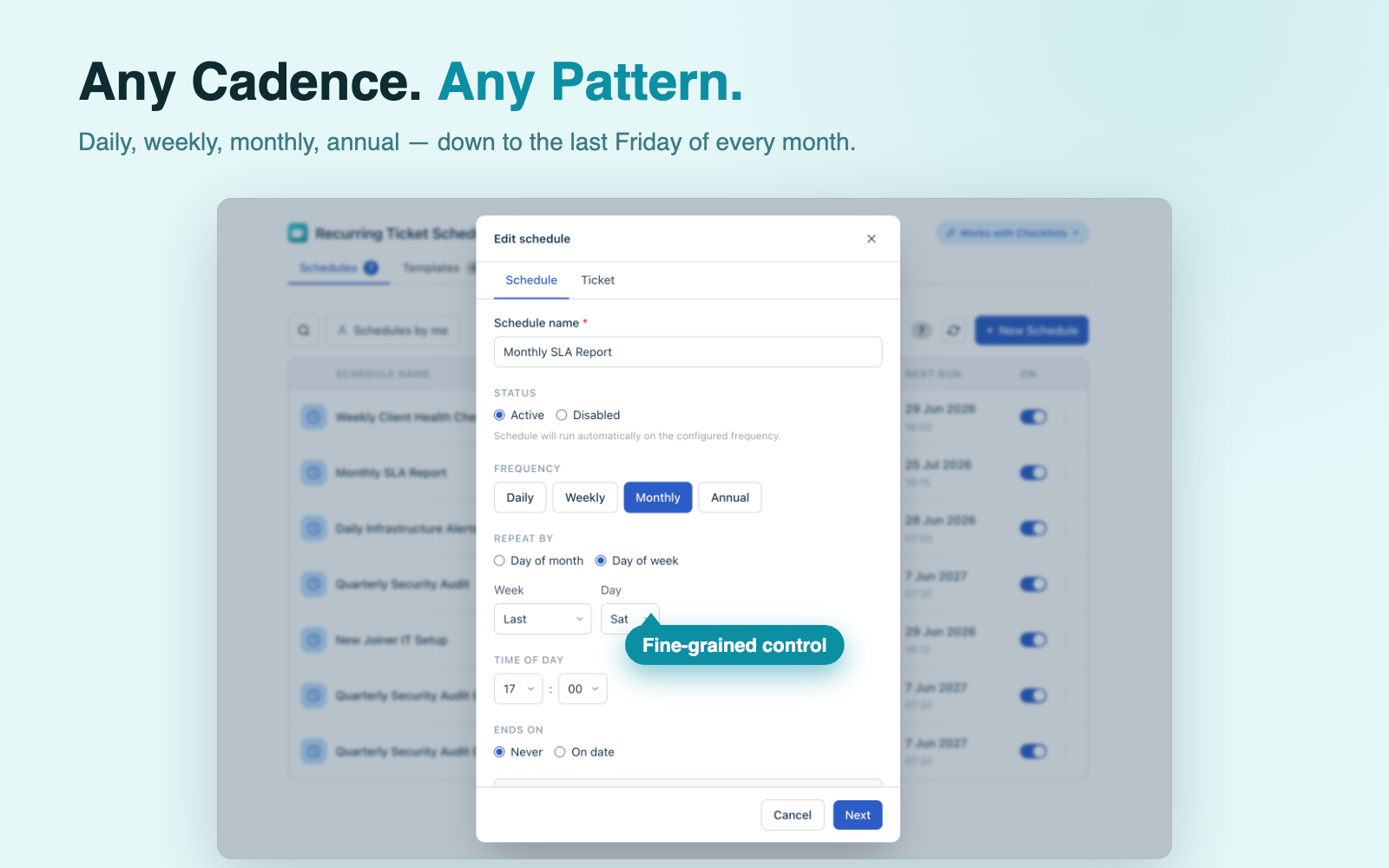
Any cadence. Any pattern.
Daily at 9 AM. Every Monday and Friday. The last Friday of the month. The third Wednesday of March. Recurring Ticket Schedules supports daily, weekly, monthly, and annual patterns — including first and last weekday of the month — so every team workflow is covered.
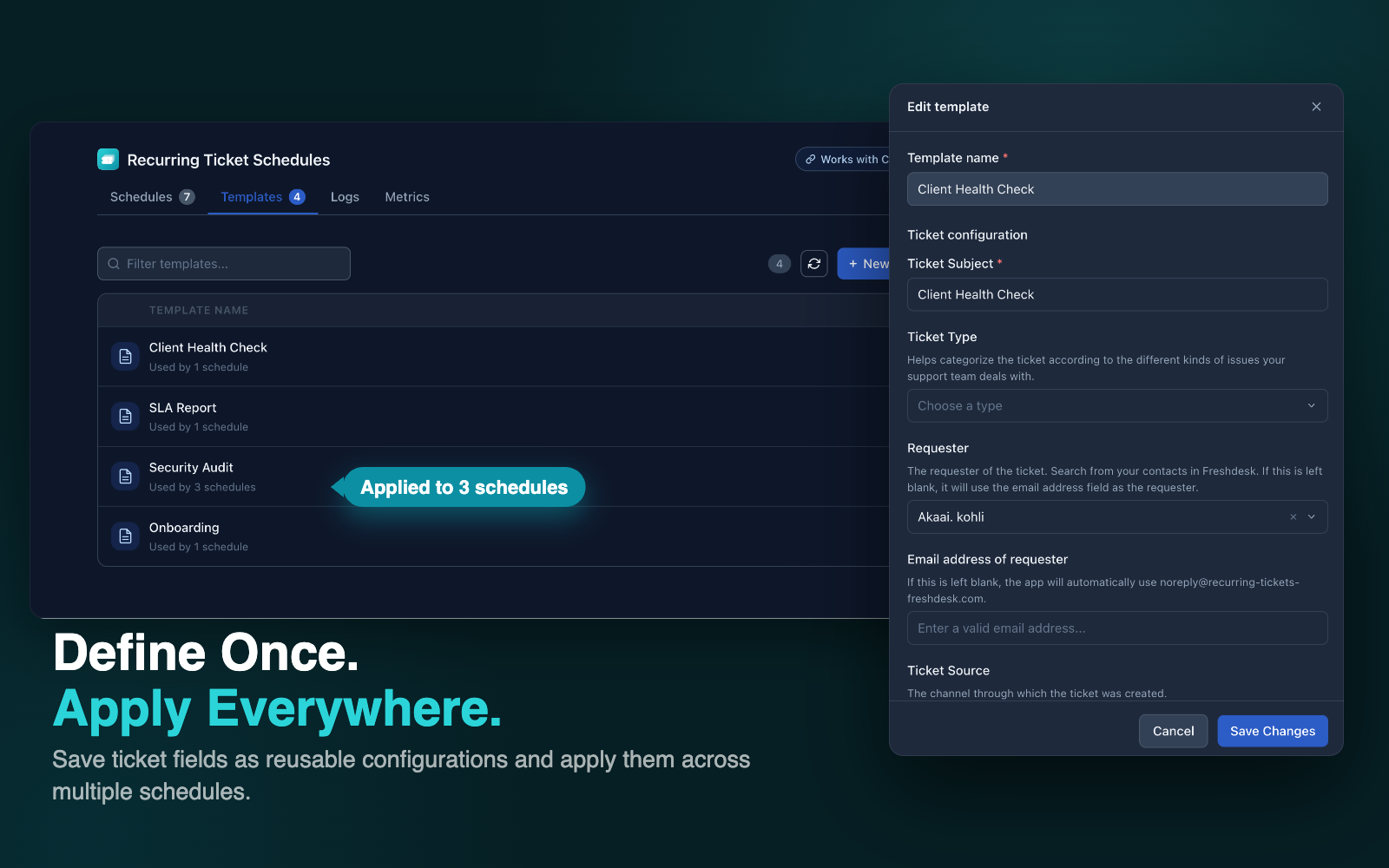
Define once. Apply everywhere.
Save ticket field configurations as named templates and apply them across multiple schedules. Override individual fields per schedule without touching the original template. See exactly how many schedules use each template at a glance.
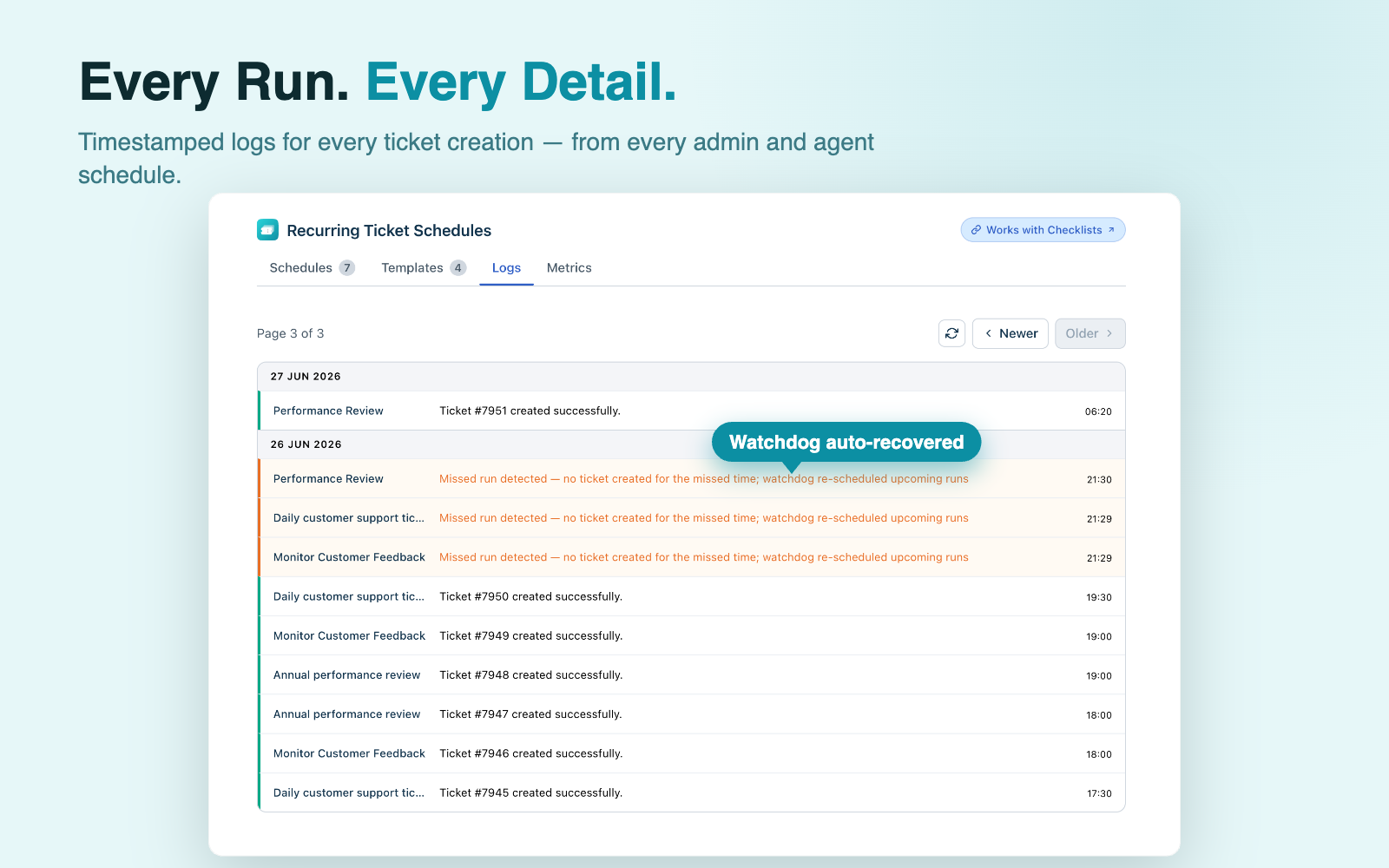
Every run. Every detail.
Every ticket creation attempt is logged with the schedule name, timestamp, source (agent or admin), status, and a direct link to the created ticket. One amber 'Re-scheduled' entry? That's the watchdog auto-recovering a missed run — no manual intervention needed.
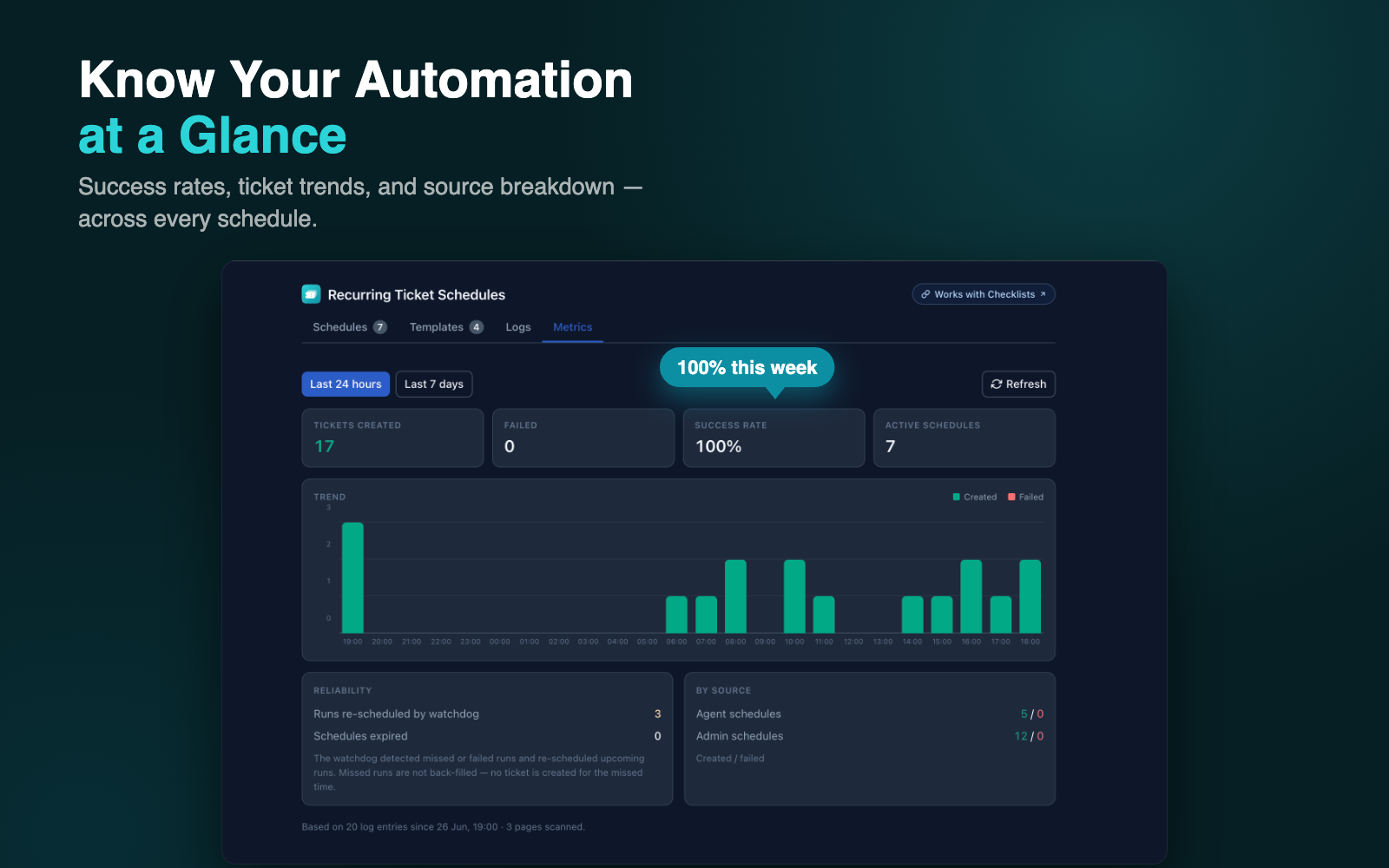
Know your automation at a glance.
The built-in metrics dashboard shows tickets created, failure count, success rate, and active schedule count — across any time window. A stacked bar chart breaks down trends by day. The source breakdown separates agent schedules from admin schedules.
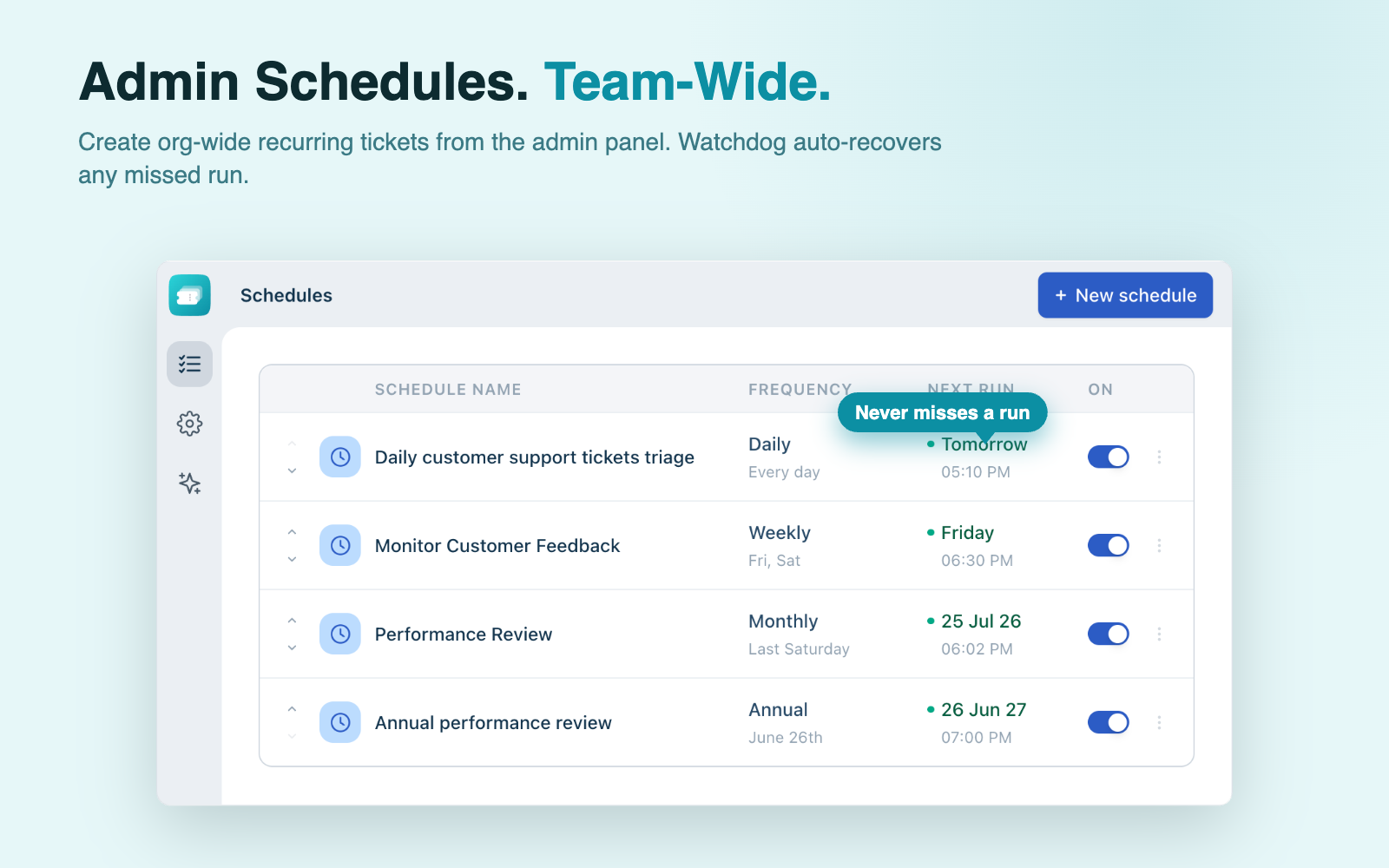
Org-wide schedules. Team-wide impact.
Admins configure recurring schedules from the app settings page — no agent involvement needed. Each admin schedule can trigger up to 3 ticket creation actions. The watchdog runs hourly to auto-recover any missed run, so the org's scheduled work never stalls.
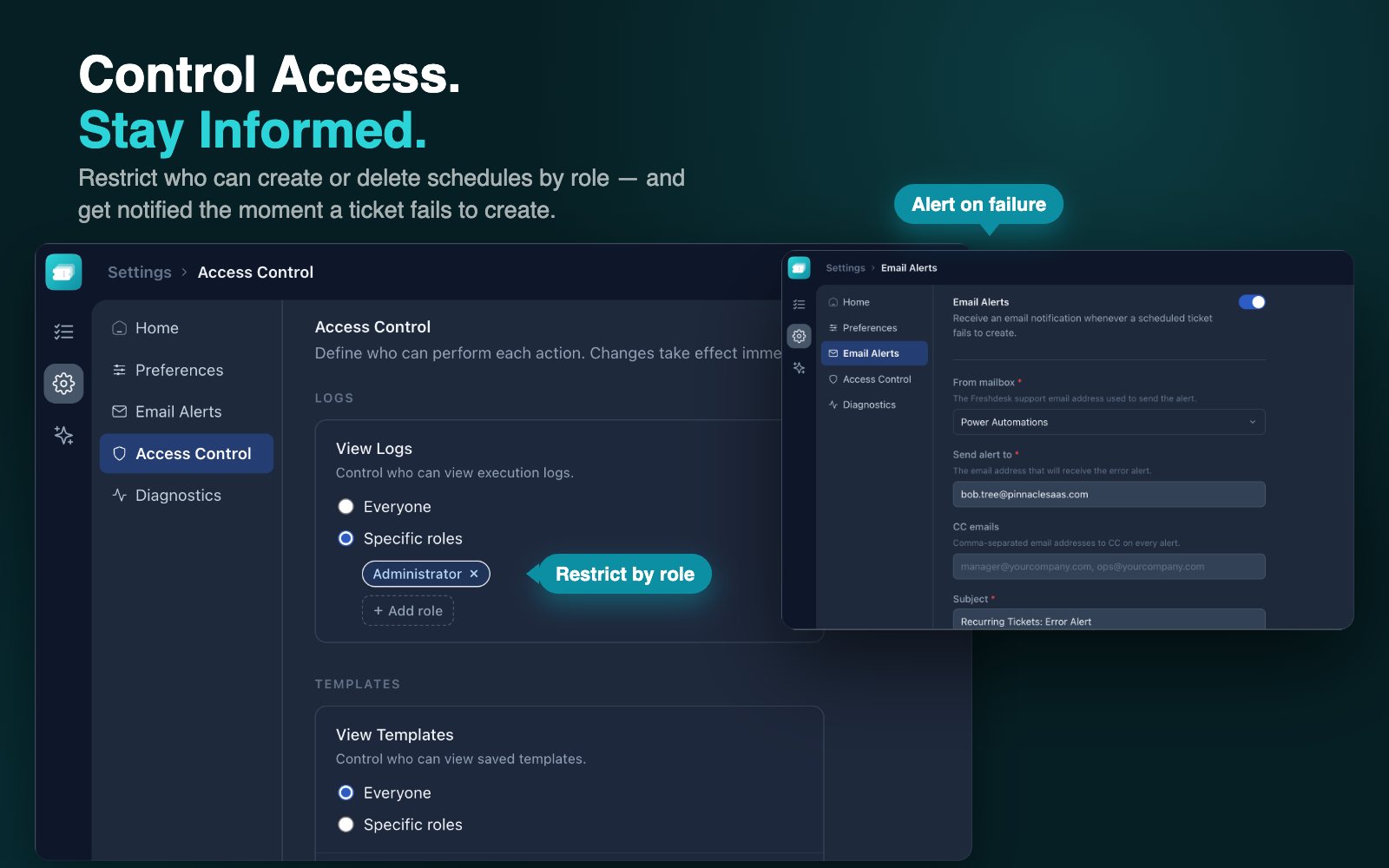
Control access. Stay informed.
Restrict schedule and template actions (view, create, edit, delete) to specific Freshdesk roles — or leave them open to everyone. Opt in to email alerts that fire the moment a ticket fails to create. Configure the recipient, subject, CC list, and sending mailbox from settings.
Built to the last detail
Four recurrence patterns
Daily, weekly, monthly (first/last weekday), and annual — covers every routine workflow.
Agent self-service
Agents create and manage their own schedules without involving admins.
Reusable templates
Save ticket field configs once and reuse them across unlimited schedules.
Metrics dashboard
Success rates, ticket trends, and source breakdown — all in one view.
Watchdog recovery
Hourly background job detects and auto-recovers any missed or failed schedule.
Email alerts on failure
Opt-in email notifications the moment a ticket fails to create.
Role-based access control
Restrict each action — view, create, edit, delete — to specific Freshdesk roles.
Full audit log
Every ticket creation attempt logged with timestamp, status, and ticket link.
Relative date fields
Set date custom fields to offsets like "due 7 days after ticket creation."
See it in action
Watch the full walkthrough to see every feature in action.
Simple pricing
Start free, pay when you're ready.
Full access to all features for 21 days, no credit card required.
What's included
- Up to 500 admin schedules
- Up to 250 agent schedules
- Up to 3 ticket creation actions per admin schedule
- Reusable ticket templates
- Execution logs and metrics dashboard
- Role-based access control
- Email alerts on failure
- Hourly watchdog recovery
Recurring Ticket Schedules turns Freshdesk into a powerful task automation hub. Set up tickets that create themselves — every day, week, month, or year — so your team can focus on execution instead of coordination.
Agents manage their own schedules directly from the Freshdesk panel. Admins configure org-wide recurring tickets from the settings page. A background watchdog runs every hour to detect and recover missed runs — so your scheduled work never falls through the cracks.
Ready to try Recurring Ticket Schedules?
21-day free trial. No credit card required. Install directly from the Freshworks Marketplace.
Install Free on Freshdesk →Have questions? We're here to help.