


Your Freshdesk support queue — visualized, organized, and moving fast.
Stop managing tickets from a list. Kanban Board Pro transforms Freshdesk into a visual command center where your team sees everything, acts instantly, and closes more tickets without context-switching.
21-day free trial · No credit card required
From chaos to clarity
- Scrolling through a flat ticket list to find what needs attention
- No visual sense of team workload or bottlenecks
- Updating ticket status requires opening each ticket individually
- Context-switching between tickets and replies
- No shared view of what the whole team is working on
- Visual board — see all tickets organized by status, agent, or priority
- Swimlanes show workload across your entire team at a glance
- Drag a ticket to a new column — the field updates instantly
- Reply and update tickets right from the board, zero page loads
- Share boards with your team for full visibility
Everything you need
Built for real support team workflows. Every feature designed for speed and clarity.
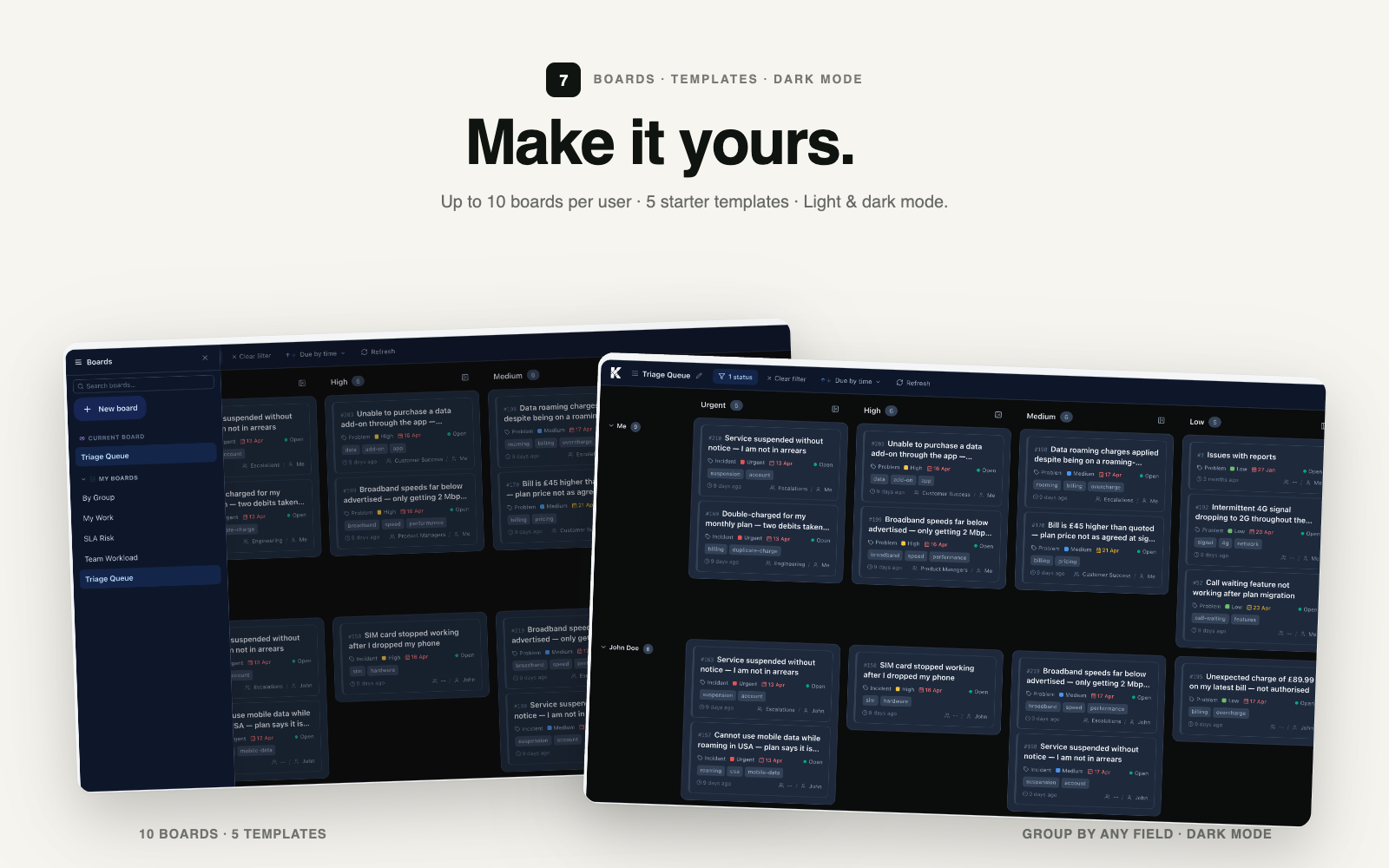
Your board. Your rules.
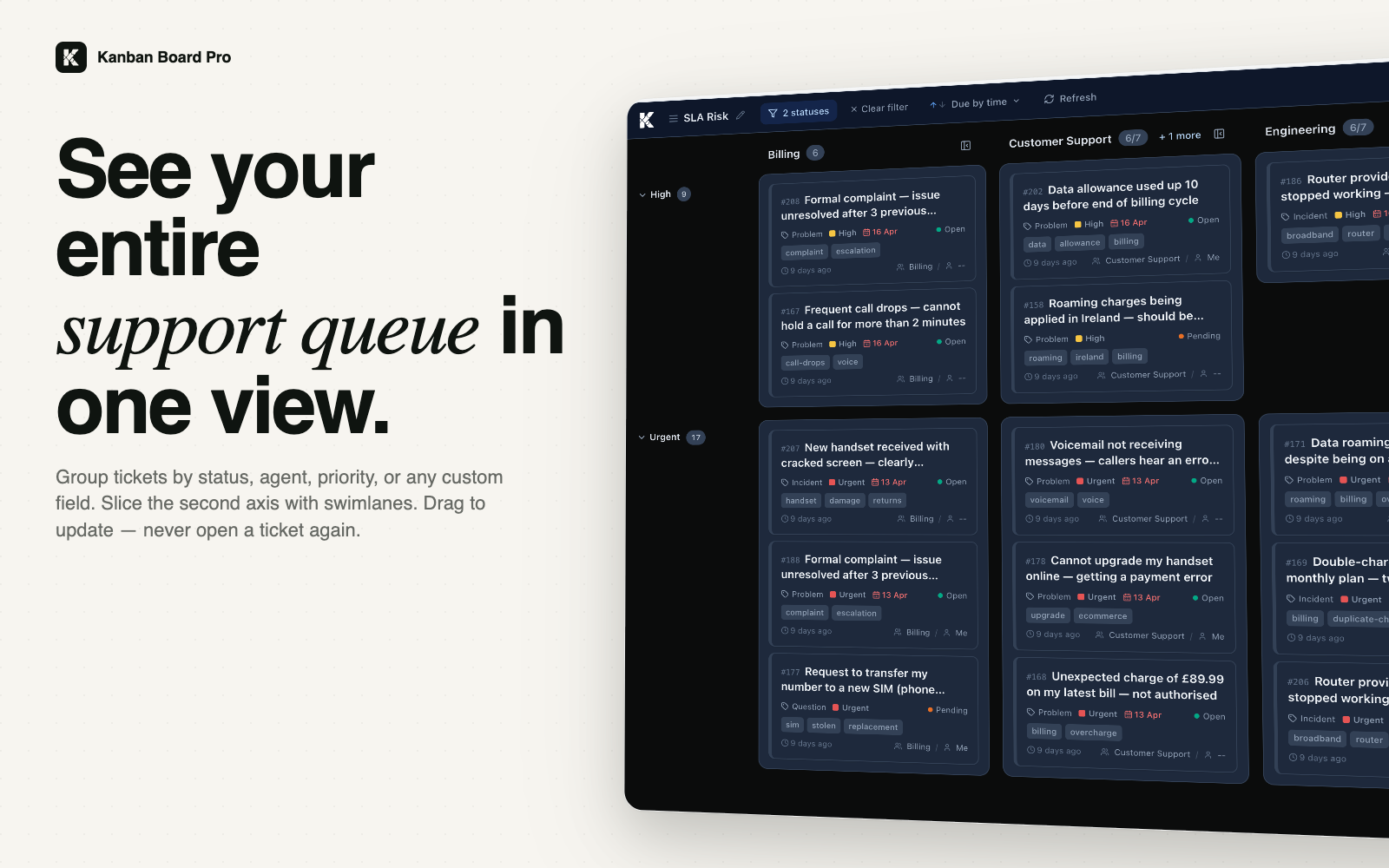
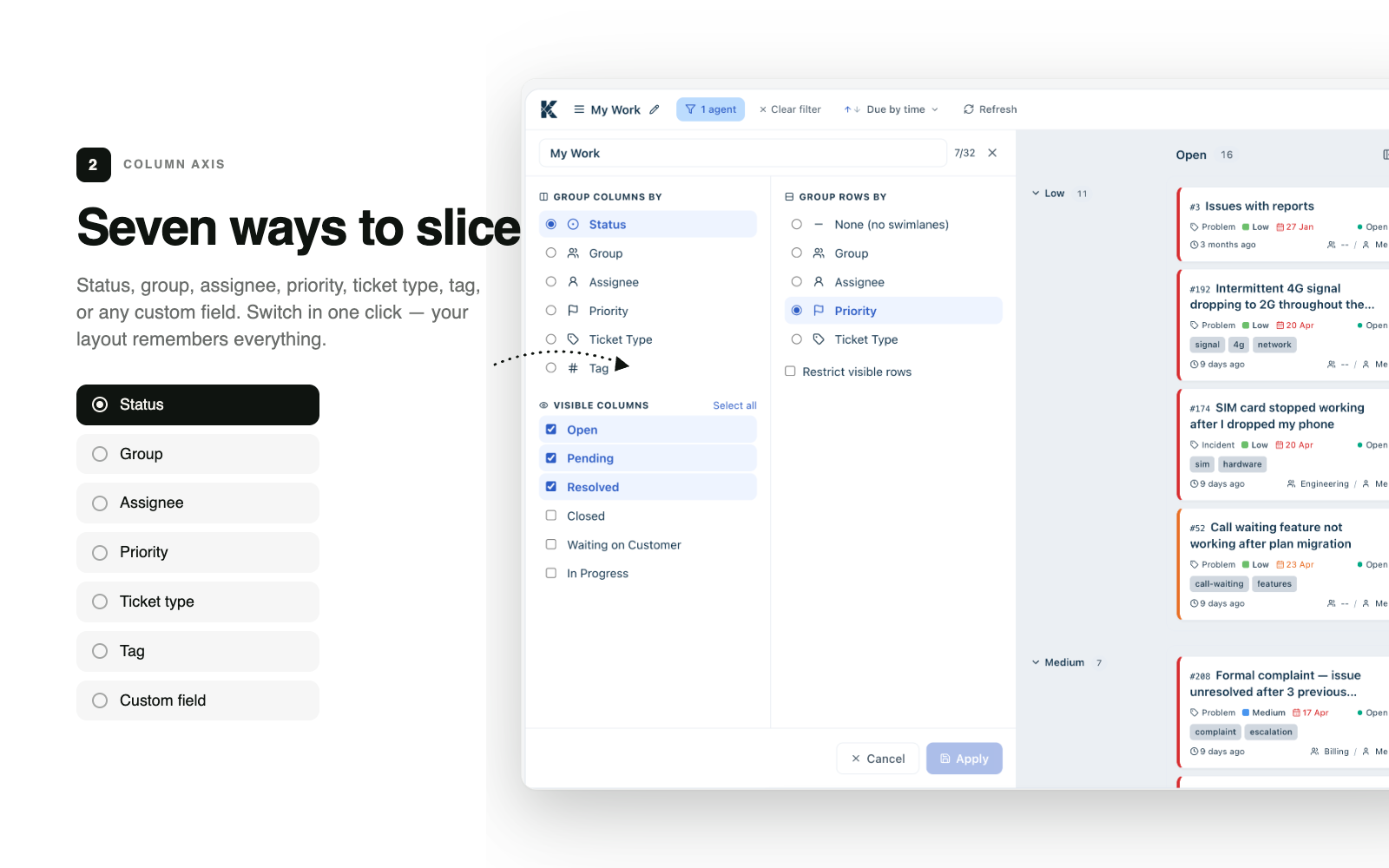
Group tickets by status, agent, priority, group, ticket type, custom field, or tags. Create up to 10 boards with up to 15 columns each — and share them with your entire team.
Move a ticket. Update a field.
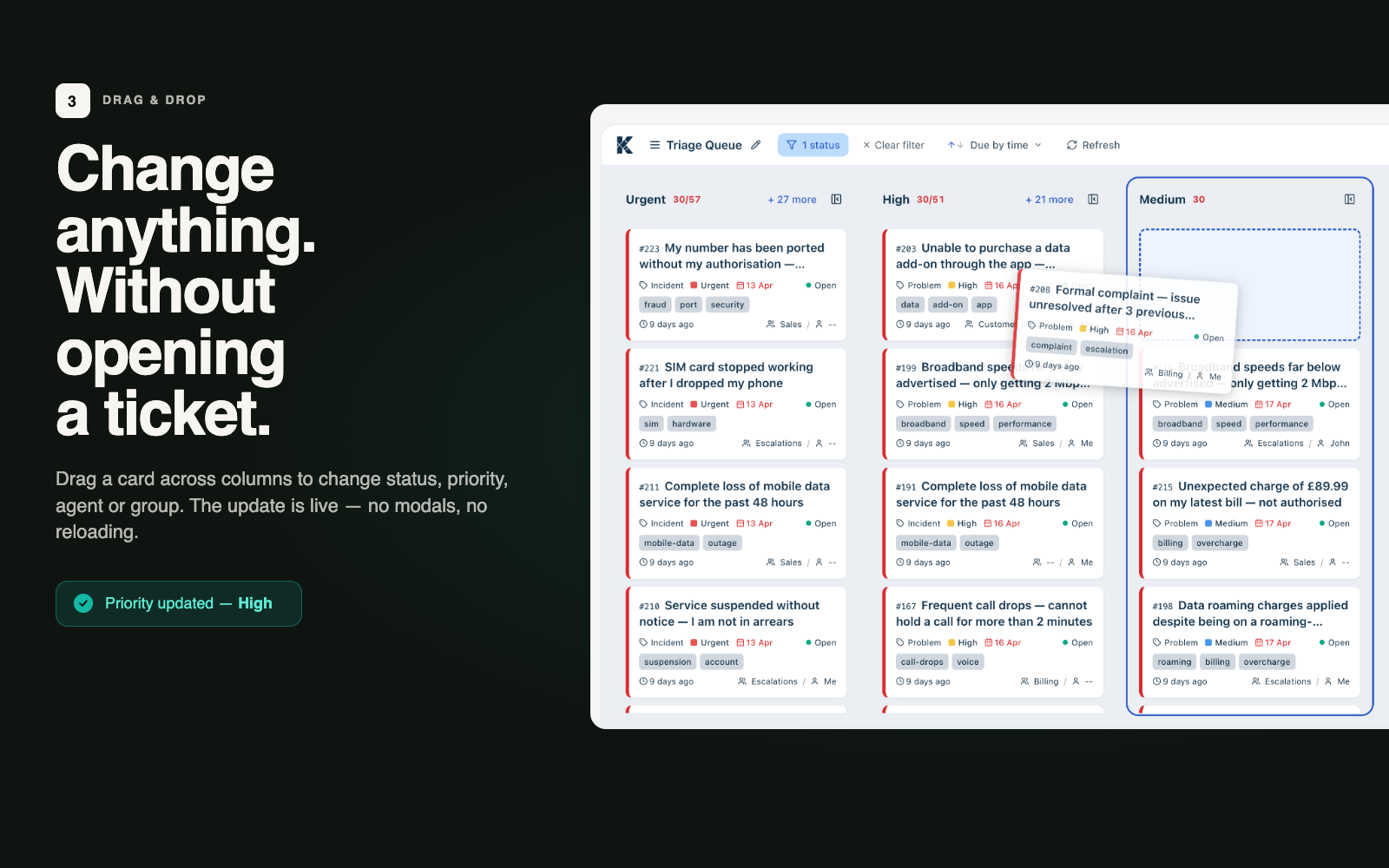
Drag any ticket to a new column and the underlying field updates instantly. No page reloads, no context switching. With optimistic UI and automatic rollback, your board always stays in sync.
Switch context in one click.
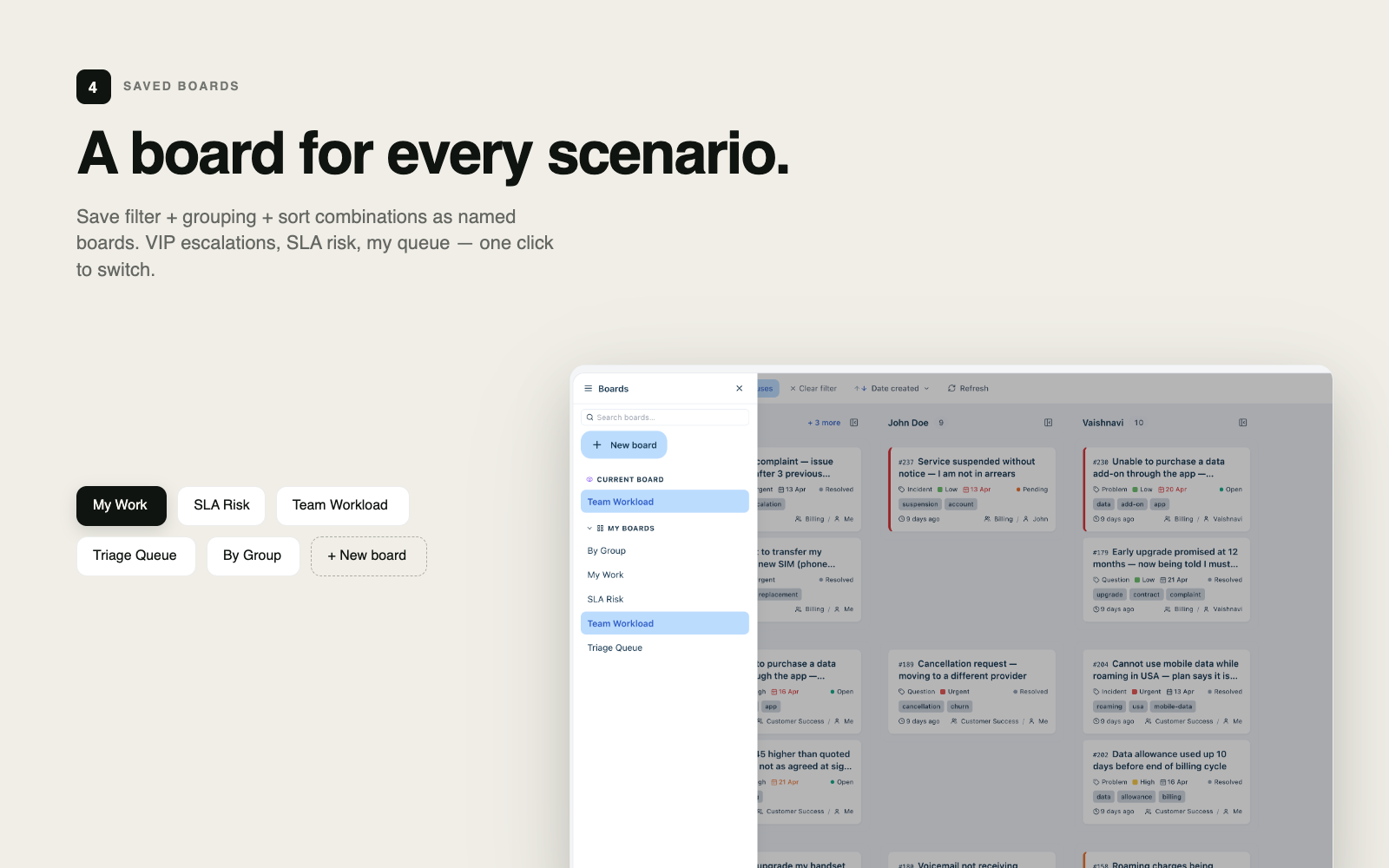
Every agent gets up to 10 boards, each with its own configuration and filters. Switch between your personal board, team boards, and escalation boards in a single click.
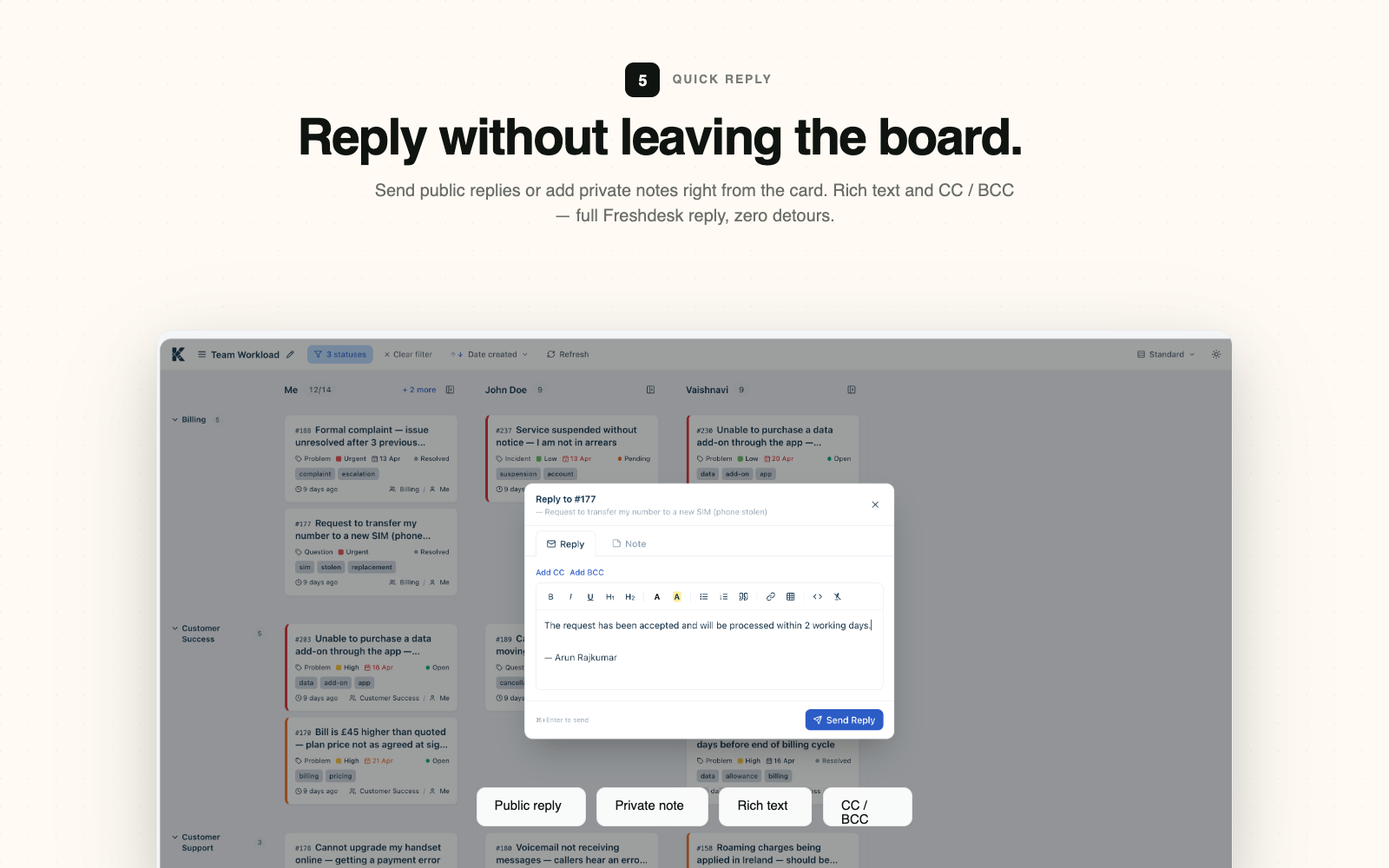
Reply without leaving the board.
Open any ticket and reply or add a private note — right from the board. Full rich text editor, agent assignment, status updates. Everything without ever loading a new page.
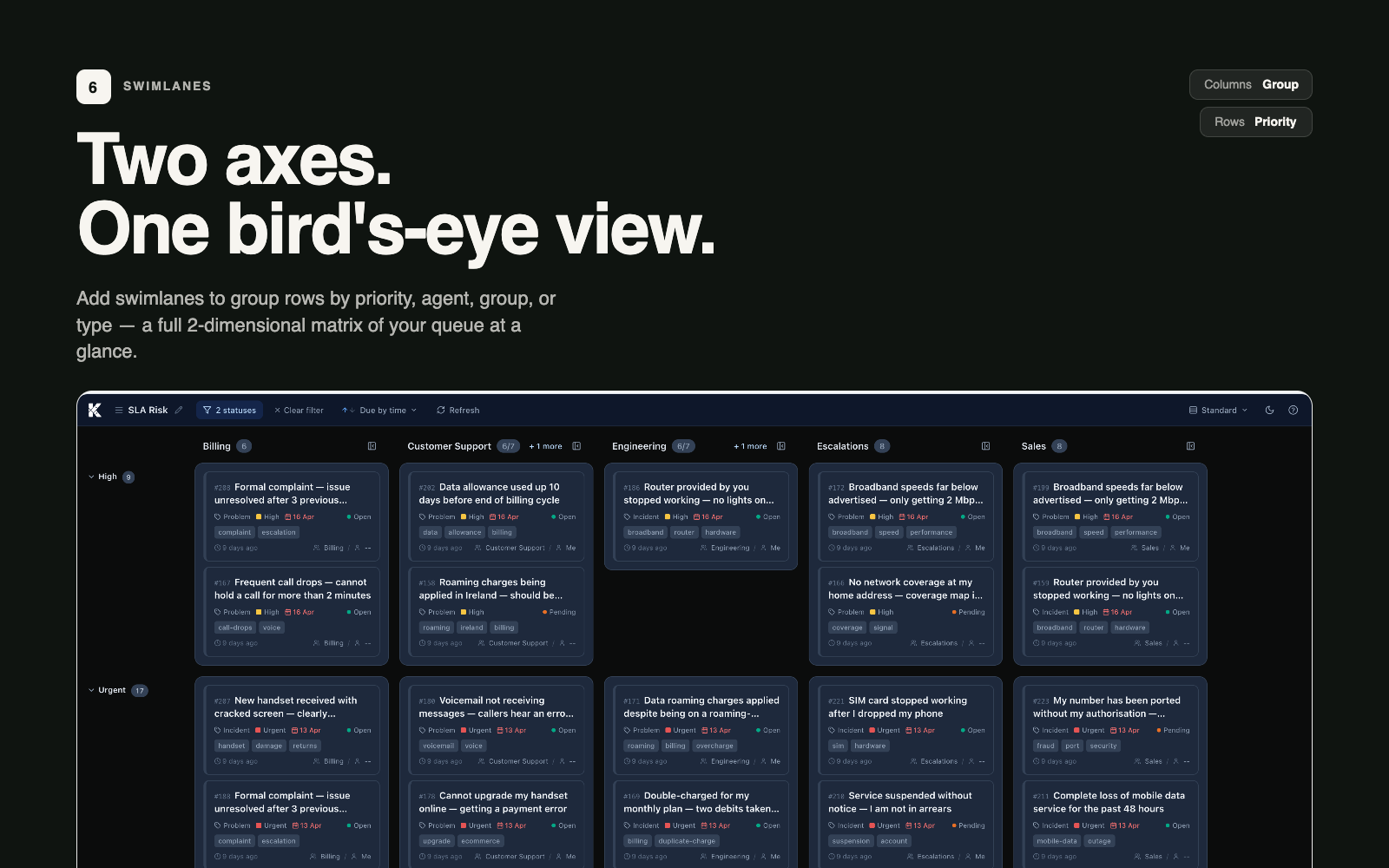
Two dimensions. One board.
Add a swimlane axis to split your board into horizontal rows. See workload across agents and statuses at a glance. SLA health color strips tell you what needs urgent attention.
Focus on what matters. Save it for next time.
Multi-field filters by agent, group, priority, status, type, tags, and custom fields. Filters are server-side — always fast, always accurate. Save your view and come back to it instantly.
Built to the last detail
SLA Health
Color-coded SLA strips on every card so you never miss a breach.
Inline Field Editing
Update ticket properties directly from the card — no ticket page required.
Dark Mode
Full dark theme support, optimized for long support sessions.
Instant Updates
Optimistic UI with automatic rollback keeps your board always accurate.
Smart Filtering
Combine multiple filters to drill into exactly the tickets you care about.
Keyboard Shortcuts
Full keyboard navigation — stay in flow without reaching for the mouse.
See it in action
Watch the full walkthrough to see every feature in action.

Simple pricing
Start free, pay when you're ready.
Free Trial
Full access to all features for 21 days, no credit card required.
Paid
Per-agent pricing. Install from the Freshdesk Marketplace.
Kanban Board Pro transforms your Freshdesk support queue from a flat list into a powerful visual board. Drag tickets to update them, reply inline, view swimlanes, and close more tickets — all without ever leaving the board.

Ready to try Kanban Board Pro?
21-day free trial. No credit card required. Install directly from the Freshworks Marketplace.
Install Free on Freshdesk →Have questions? We're here to help.