


Checklists for every Freshworks ticket.
Auto-assign, convert to tickets, and resolve automatically — across Freshdesk, Freshservice, Freshchat, and CRM.
21-day free trial · No credit card required
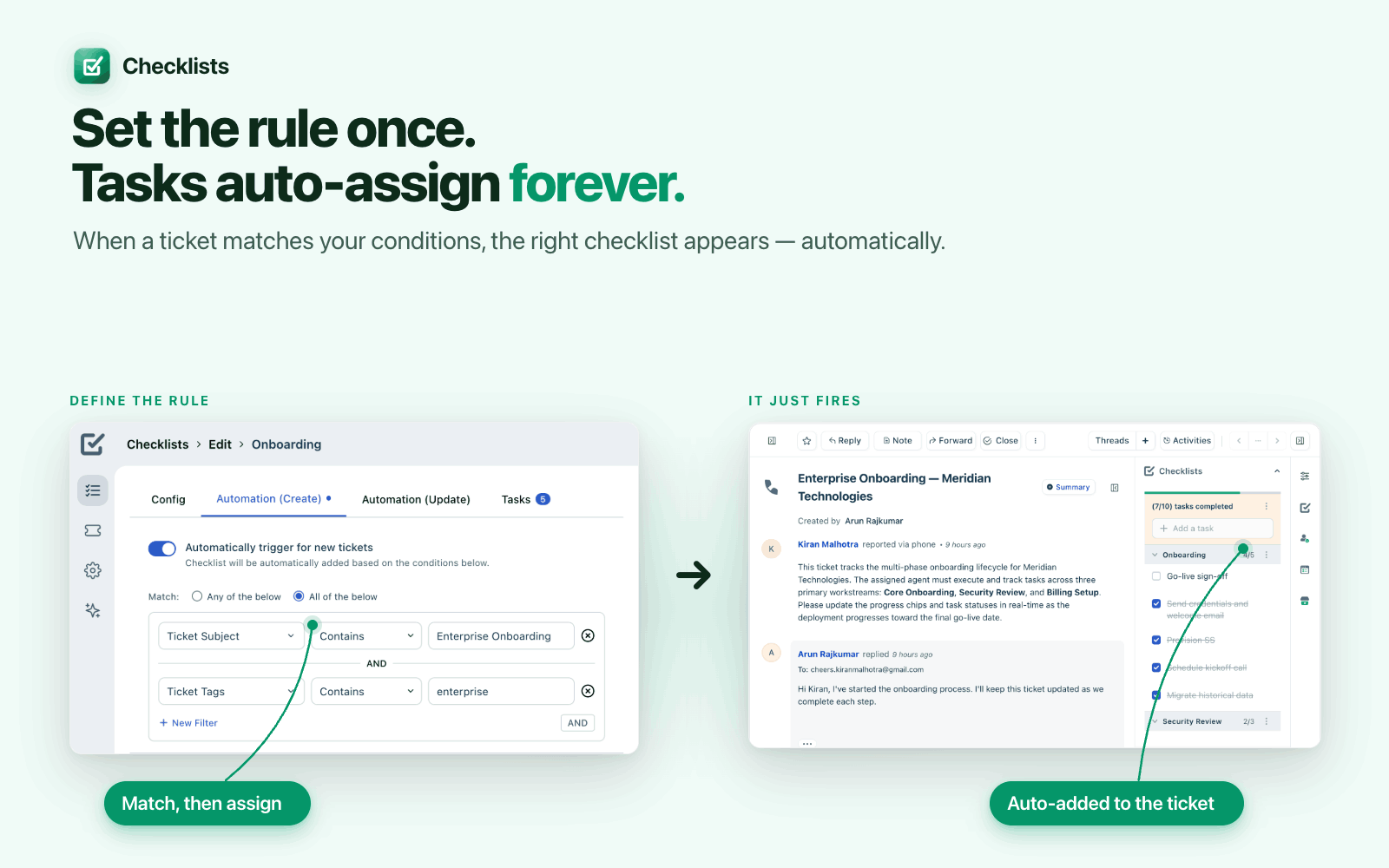
Set the rule once. It runs forever.
Three steps from "matches a condition" to "ticket resolves itself."
Define a rule
Match on any ticket, request, contact, or conversation field, then choose the checklist to assign. Freshdesk, Freshservice, Freshchat, and CRM all supported.
The checklist appears automatically
The moment a record matches, the task list is attached — populated and ready, with zero manual steps for the agent.
Work it, share it, resolve it
Check off tasks, convert the big ones into tickets, insert progress into the reply — and let the parent ticket resolve itself when the list is complete.
Before & after structured checklists
- Agents miss steps on complex tickets because there's no structured workflow to follow
- The same checklist gets copy-pasted into every new ticket, over and over
- Tasks that grow into projects sit on a list instead of becoming a tracked ticket
- No way to restrict who can add, edit, convert, or delete tasks
- Customers ask "where are we?" and agents scramble to summarize progress by hand
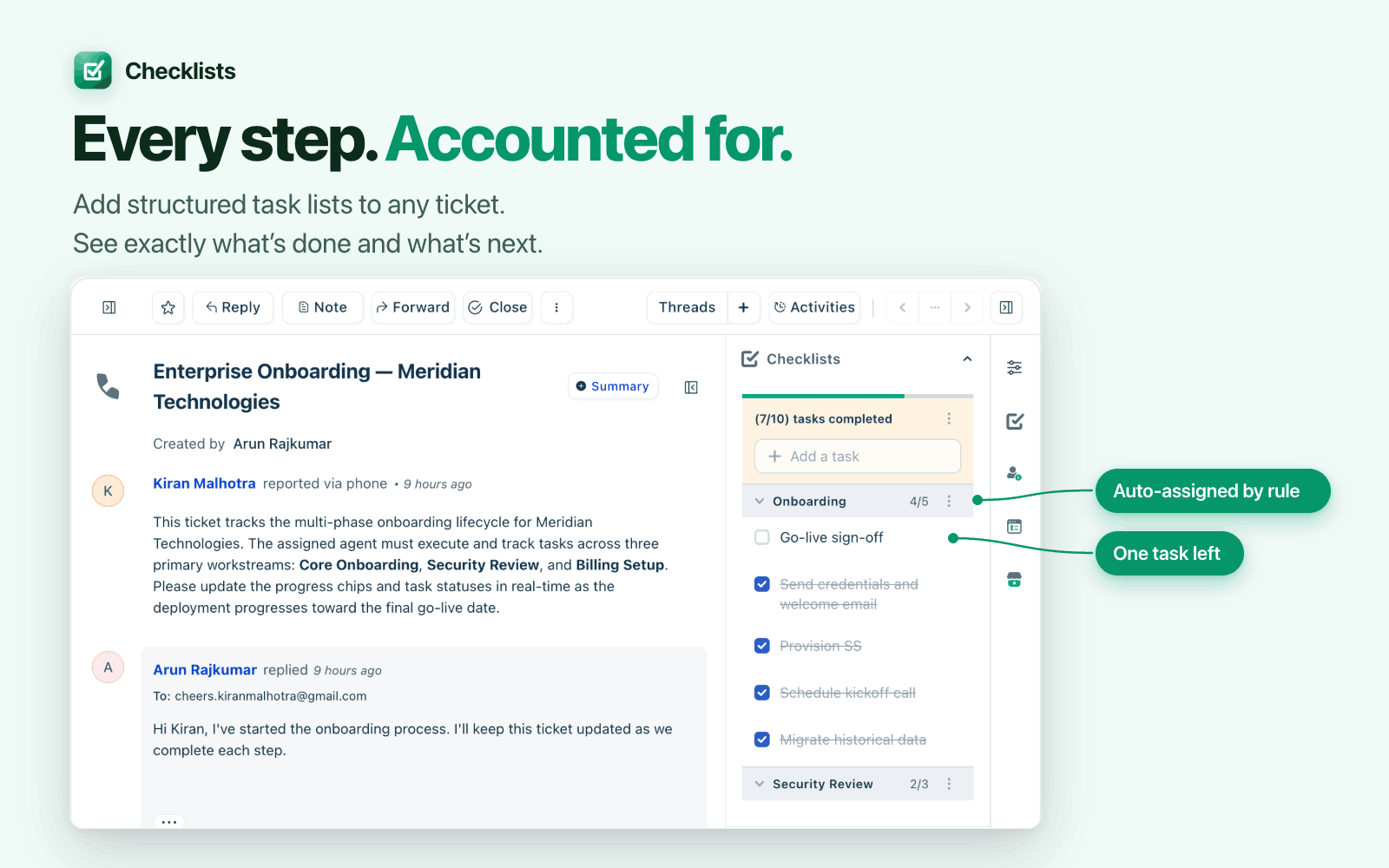
- A structured task list lives right in the sidebar, visible every time the record is opened
- Rules auto-assign the right checklist the moment a ticket, request, or contact matches
- One click converts any task into a ticket in one of 7 different tools
- 7 independent RBAC policies control exactly who can do what, per role
- One click inserts a formatted checklist table into the reply — the customer sees exactly what's done
Everything you need
Built for real support team workflows. Every feature designed for speed and clarity.
Set the rule once. Tasks auto-assign forever.
Define a condition once — ticket type, request category, contact source, whatever fits your workflow — and Checklists attaches the right task list automatically, every single time a record matches. Zero ongoing manual work.
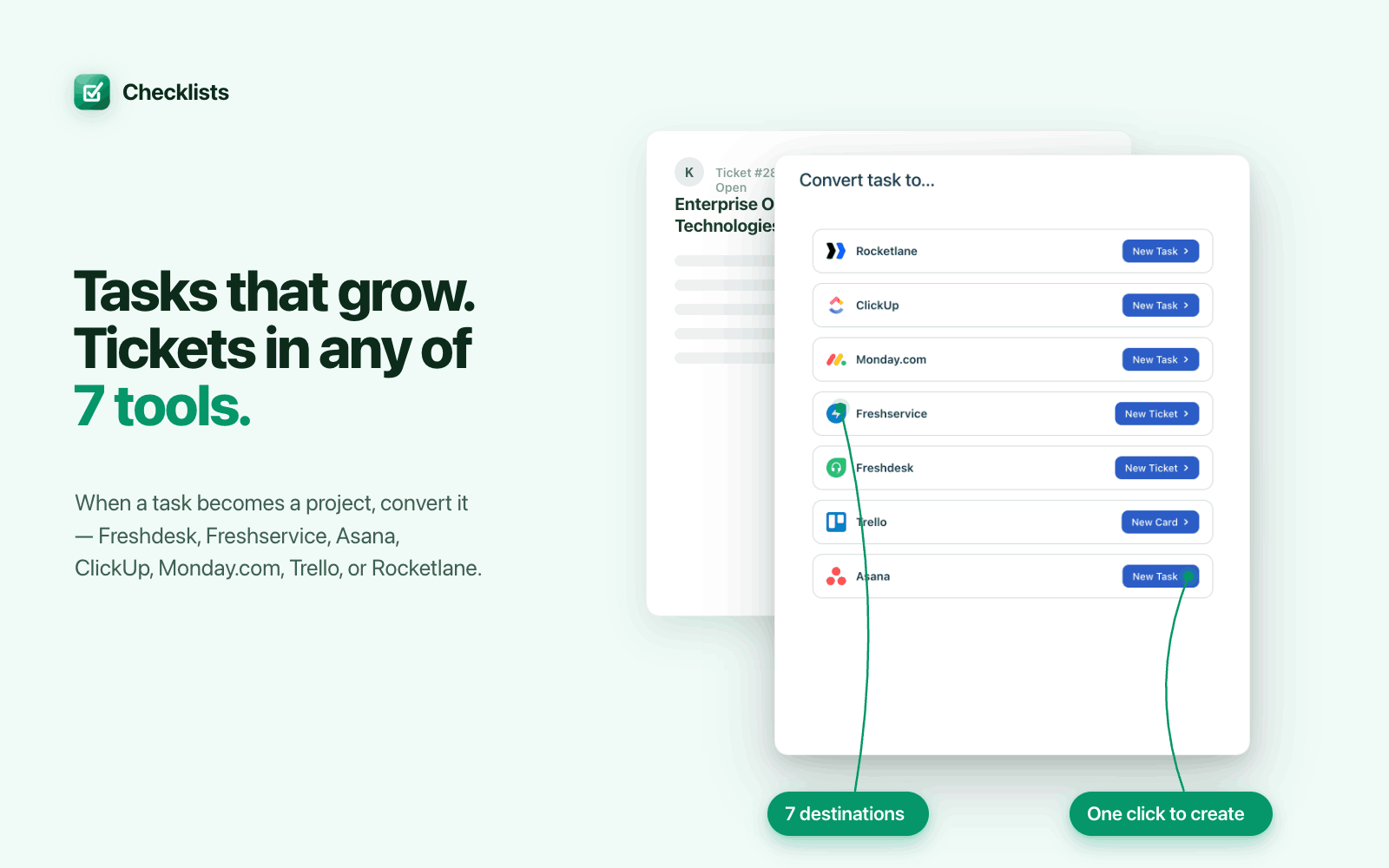
Tasks that grow. Tickets in any of 7 tools.
When a task becomes a project, convert it — in one click. Choose Freshdesk, Freshservice, Asana, ClickUp, Monday.com, Trello, or Rocketlane. The task never has to be manually re-entered anywhere.
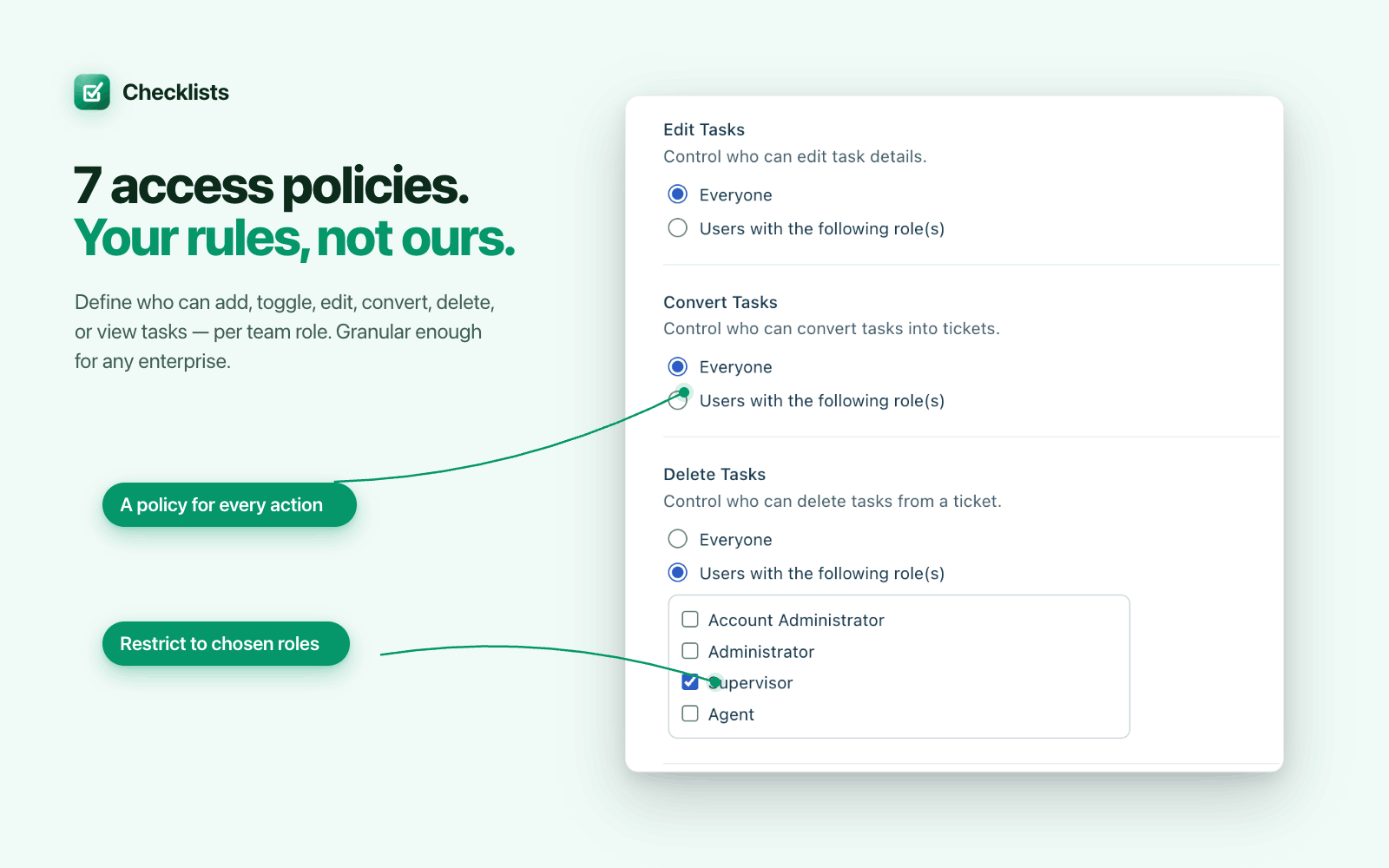
7 access policies. Your rules, not ours.
Define exactly who can view, add, toggle, edit, convert, or delete tasks — per agent role. Granular enough for enterprise procurement, simple enough to set up in minutes.
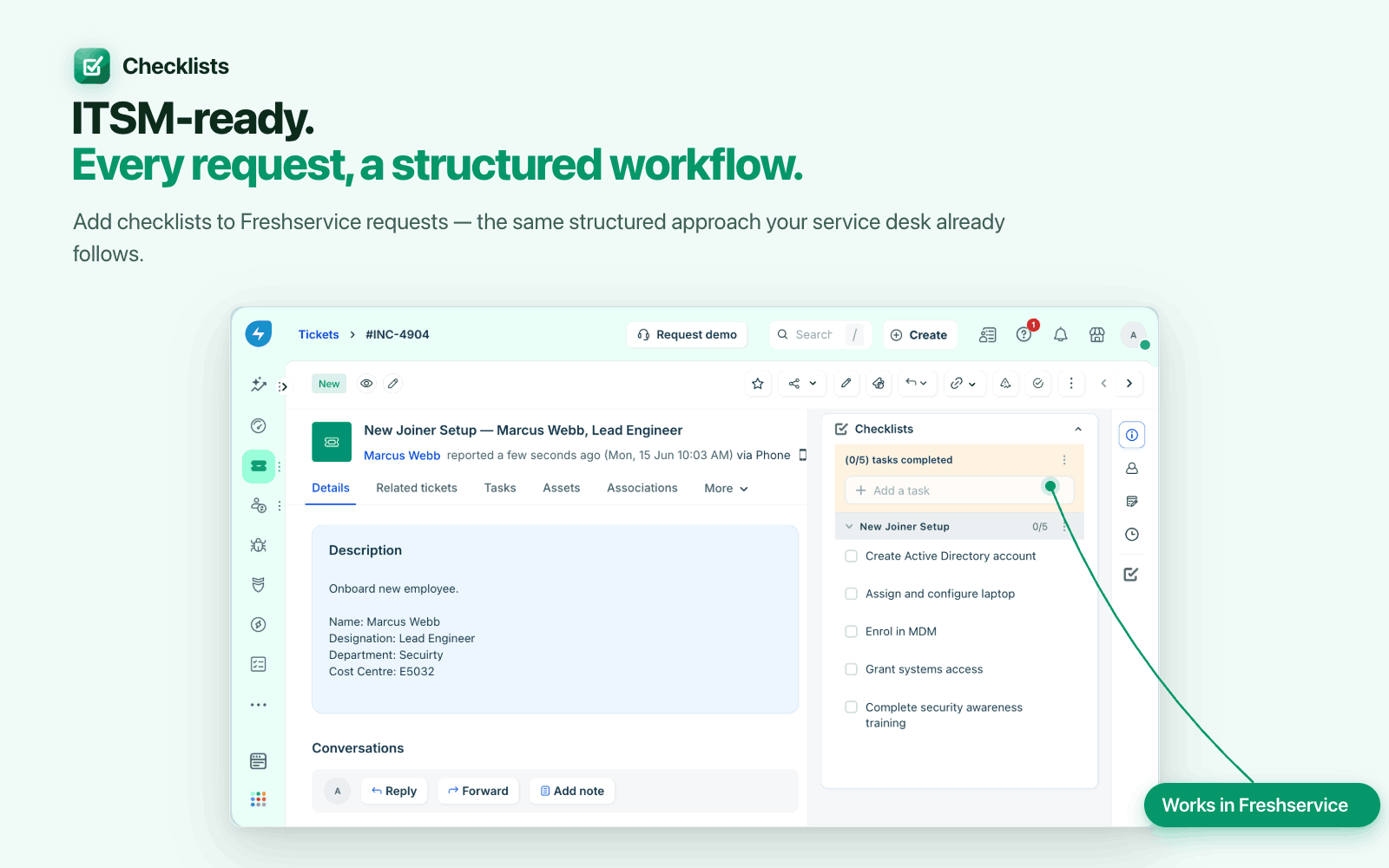
ITSM-ready. Every request, a structured workflow.
The same sidebar experience, built for Freshservice requests. New joiner setups, hardware provisioning, compliance reviews — every ITSM process gets a checklist instead of a long description agents have to re-read.
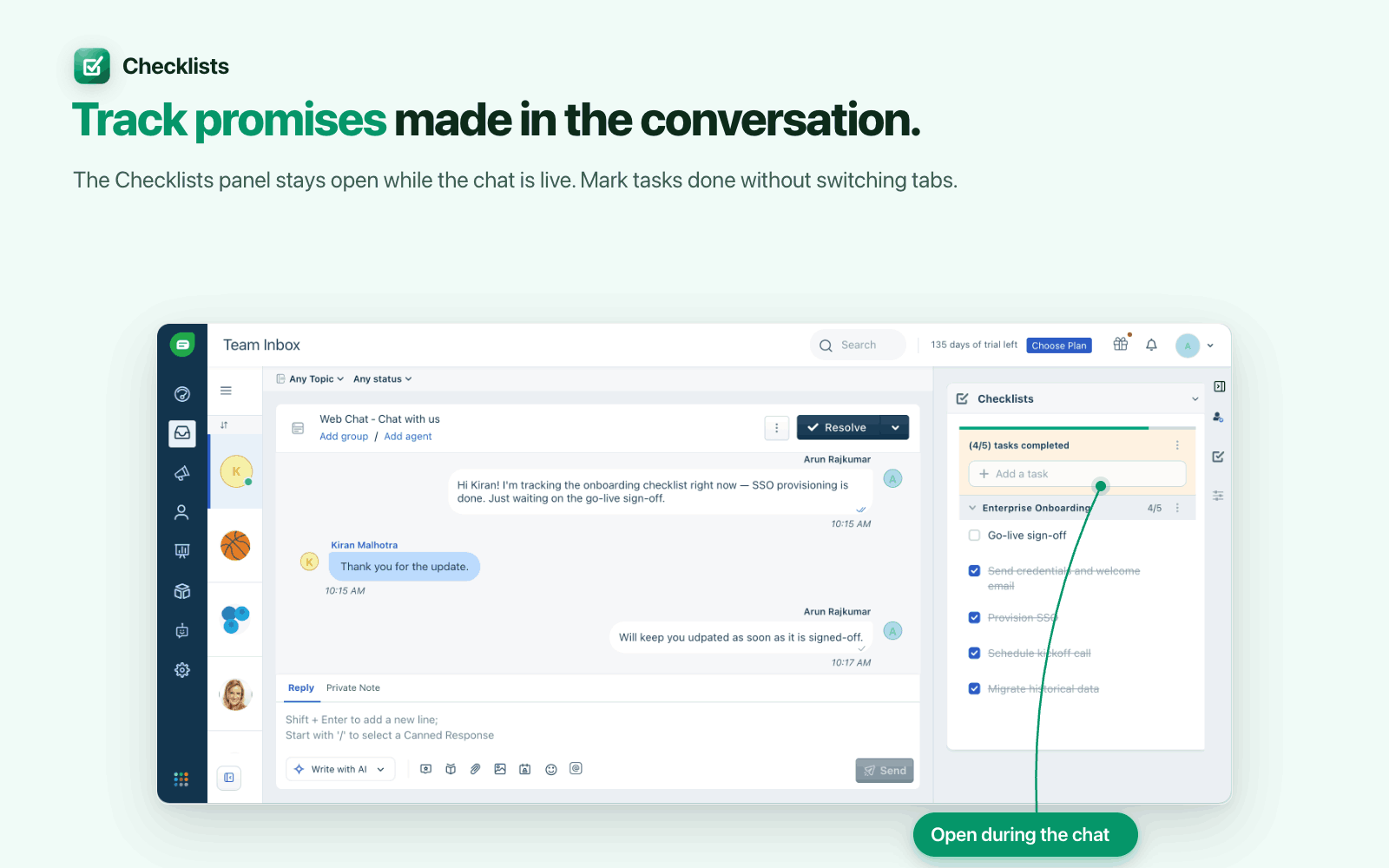
Track promises made during the conversation.
The Checklists sidebar stays open while the conversation is live. Mark tasks done without switching tabs — so commitments made mid-chat don't get lost in the scroll.
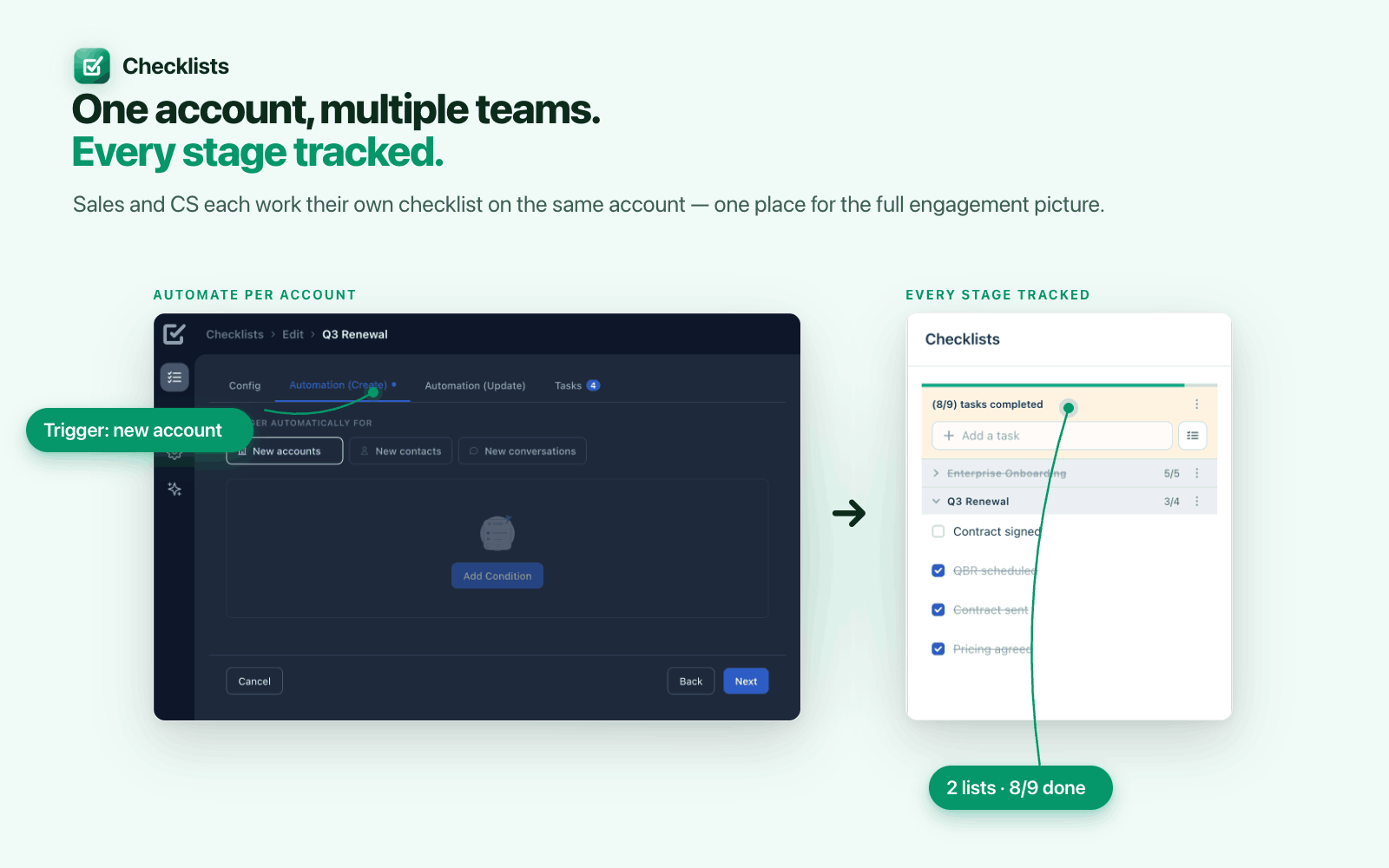
One account. Multiple teams. Every stage tracked.
Sales, CS, and Legal each work their own checklist — on the same account record. One place for the full engagement picture, instead of three disconnected tools.
Built to the last detail
Auto-assign rules
Rules fire on ticket, request, contact, or conversation create or update — based on any field.
Convert to ticket
Send any task to Freshdesk, Freshservice, Asana, ClickUp, Monday.com, Trello, or Rocketlane.
7 RBAC policies
View, add, toggle, edit, convert, and delete — each independently controlled per role.
Full Freshworks suite
One consistent experience across Freshdesk, Freshservice, Freshchat, and Freshworks CRM.
Insert in editor
One click inserts a formatted checklist table straight into the ticket reply.
Auto-resolve tickets
The parent ticket resolves itself the moment every task on its checklist is done.
300+ checklists
Ships with 300+ checklists out of the box — up to 1,000+ with compression enabled.
Multiple lists per record
Onboarding, Security Review, and Billing Setup can all live on the same ticket at once.
Built for speed
Loads instantly and stays out of the way — no lag added to the ticket view.
See it in action
Watch the full walkthrough to see every feature in action.

Simple pricing
Start free, pay when you're ready.
Full access to all features for 21 days, no credit card required.
What's included
- 300+ checklists included, up to 1,000+ with compression
- Auto-assign rules on ticket, request, contact, or conversation
- Convert tasks to tickets in 7 systems
- 7 independent role-based access policies
- Insert formatted checklist tables into replies
- Auto-resolve the parent ticket when all tasks are done
- Works across Freshdesk, Freshservice, Freshchat, and Freshworks CRM
Your tickets tell you what’s open. Checklists tells your team what to do next.
Add structured task lists to any ticket, request, or conversation. Define them once — Checklists applies them automatically when a record matches your conditions. When every task is done, the parent ticket resolves itself.
Tasks that outgrow a checklist don’t have to be re-entered anywhere else — convert them into a ticket in Freshdesk, Freshservice, Asana, ClickUp, Monday.com, Trello, or Rocketlane with one click. And with 7 independent role-based access policies, every agent role sees exactly what it should.
Limitations: Role-based access control is not yet available in the Freshsales contact and account locations. Preventing ticket resolution when required tasks are incomplete is not supported in Freshservice.
Ready to try Checklists?
21-day free trial. No credit card required. Install directly from the Freshworks Marketplace.
Install Free on Freshdesk + Freshservice →Have questions? We're here to help.