


Reply to the ticket. The customer gets the SMS.
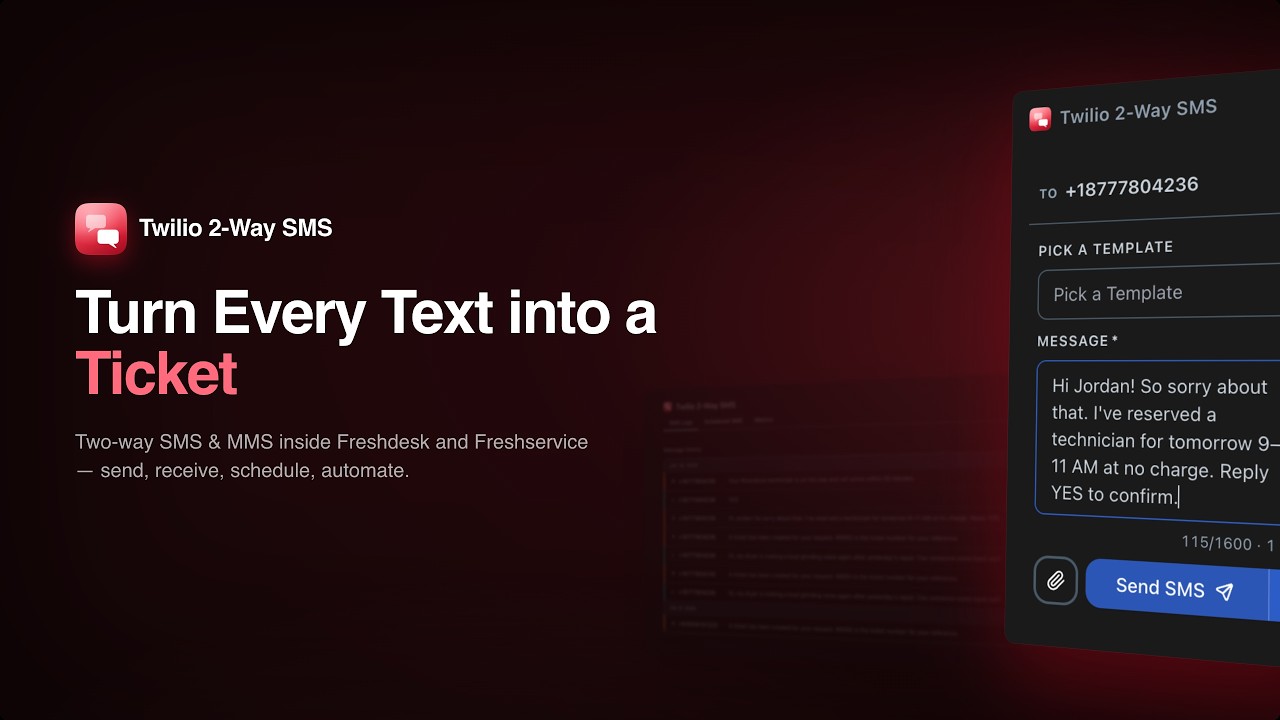
Turn Freshdesk and Freshservice into a full SMS support channel. Incoming texts become tickets automatically. Agent replies send SMS without leaving the helpdesk. Every message is logged, searchable, and fully traceable — across web, mobile, and Slack.
21-day free trial · No credit card required

SMS support in your helpdesk. Zero workflow change for agents.
Set it up once. Every agent on both Freshdesk and Freshservice gets the full experience.
Customer texts in
A customer sends an SMS to your Twilio number. The app creates a ticket in Freshdesk or Freshservice instantly — with the message as the ticket description, the sender as the contact, and the Twilio number stored for reply routing.
Tag the ticket
Add the configured SMS tag to any ticket to activate the auto-reply flow. From that point on, every public note or reply an agent posts on that ticket automatically sends an SMS to the customer — from the web UI, mobile app, or Slack.
Reply and log everything
The agent posts a reply. The customer gets an SMS. A confirmation note is added to the ticket with the message body, Twilio Message SID, and delivery details. Every message — sent and received — appears in the SMS Logs tab.
From missed messages to a fully managed SMS channel
- Customer sends an SMS — it lands on a personal phone, invisible to the team
- Agent manually creates a ticket and copy-pastes the SMS body
- Reply goes out from a personal number — no record in the helpdesk
- Follow-up messages create duplicate tickets with no thread context
- No way to know if the SMS was delivered or read
- Scheduling an SMS means a calendar reminder and manual send
- Every incoming SMS becomes a Freshdesk or Freshservice ticket automatically
- Agent posts a reply or note — the customer receives an SMS instantly, no extra step
- Reply always comes from the same Twilio number the customer messaged
- Follow-up texts are added as notes to the existing ticket — no duplicates
- Per-message delivery status is visible in the SMS Logs tab with one-click refresh
- Schedule SMS from the sidebar and manage all scheduled messages centrally
Everything you need
Built for real support team workflows. Every feature designed for speed and clarity.
Post a note. The customer gets an SMS.
Tag any ticket with your configured SMS tag and every public reply or note an agent posts — whether from the Freshdesk web UI, the mobile app, or Slack — automatically sends an SMS to the customer. The app always replies from the same Twilio number the customer originally messaged, keeping the conversation thread consistent on both sides. A confirmation note with the Message SID is added to the ticket automatically.

Every text becomes a ticket. Automatically.
When a customer sends an SMS to your Twilio number, the app creates a Freshdesk or Freshservice ticket in seconds — with the message as the description, the sender's number as the contact, and the receiving Twilio number stored for accurate reply routing. No manual ticket creation, no missed messages.

Follow-up texts stay in the same ticket.
When the same customer sends another message, the app checks whether they already have an open ticket within the configured timeframe. If they do, the message is added as a note — keeping the full conversation in one place with no duplicate tickets. Configure the threading window and the ticket ID pattern that links replies to specific tickets.

Full message history. Delivery status per message.
The SMS Logs tab shows every sent and received message for a ticket — direction, from/to numbers, message body, timestamp, and Twilio delivery status. Agents can refresh the status of any individual message with one click to get the latest state from Twilio. Every entry is paginated and fully searchable.

Schedule messages. Manage them all in one place.
Agents can schedule an SMS — or MMS — to send at any future date and time directly from the ticket sidebar. All scheduled messages are listed in the Scheduled SMS tab with the ability to cancel before they fire. When the scheduled time arrives, the message is sent automatically and a confirmation note is added to the ticket.

Trigger SMS on ticket events. No manual send required.
Configure automation rules that send SMS messages when tickets are created, updated, escalated, or resolved. Use ticket and contact placeholders to personalise each message, and combine multiple rules for full lifecycle coverage — from acknowledgement through to closure. Rules fire for both Freshdesk and Freshservice.

Built to the last detail
Works from any agent surface
Auto-SMS fires whether the agent replies from the Freshdesk web UI, the Freshdesk or Freshservice mobile app, or the Slack integration. The customer always gets the message.
Correct number, every time
The app stores the Twilio number that received each incoming SMS. Replies always go out from that same number — so the customer sees a single consistent thread on their phone.
MMS in both directions
Agents can send images and media files from the sidebar composer. Incoming MMS messages from customers are attached to the ticket with the original media stored and accessible.
SMS Templates
Create a library of pre-written templates for common responses — acknowledgements, follow-ups, reminders, closures. Agents send the right message in one click.
Schedule and cancel
Schedule an SMS for any future time. View and cancel all pending scheduled messages from a central dashboard before they fire.
Delivery status per message
Check the delivery status of any individual message directly in the SMS Logs tab. One click refreshes the state from Twilio — queued, sent, delivered, or failed.
Smart ticket threading
Follow-up SMS messages from the same customer are linked to the existing open ticket — no duplicates. Configure the threading window and ticket ID pattern to match your workflow.
Automation rules
Define rules that trigger SMS on ticket create or update events. Match on conditions like priority, status, or tag. Multiple rules, multiple actions, fully configurable.
Freshdesk and Freshservice
Full feature parity across both platforms. Auto-reply, incoming SMS, scheduled messages, SMS logs, templates, and automation all work identically on Freshdesk and Freshservice.
Built on trust. Open to your whole team.
Enterprise-grade security without friction. And collaboration that reaches every stakeholder — no extra licenses, no new logins.
Security
Your Twilio credentials, your control
The app connects to your own Twilio account using your Account SID and Auth Token. Messages are sent through your Twilio numbers — Taroo never owns or proxies your SMS traffic.
Full audit trail
Every sent and received message is logged as a note on the ticket with the Message SID, from/to numbers, timestamp, and delivery status. Nothing is hidden or silently discarded.
Loop prevention built in
App-generated confirmation notes (incoming SMS logs, outgoing SMS confirmations, failure alerts) are marked with a unique signature and never re-trigger the auto-reply flow. No feedback loops.
Team Accessibility
No app required for customers
Customers use their existing SMS app on any phone. No download, no account, no setup on their end.
Any agent, any device
Agents can reply via the Freshdesk web app, the iOS or Android mobile app, or through the Slack integration — SMS goes out in all cases.
Works for the whole team
One installation covers all agents on the account. No per-agent setup. The SMS tag determines which tickets participate — simple and predictable.
See it in action
Watch the full walkthrough to see every feature in action.
Simple pricing
Start free, pay when you're ready.
Full access to all features for 21 days. No credit card required. Install directly from the Freshdesk or Freshservice Marketplace.
What's included
- Two-way SMS and MMS on Freshdesk and Freshservice
- Auto-SMS when agent posts a public reply or note
- Incoming SMS → ticket creation with smart threading
- Schedule SMS with central management and cancellation
- SMS Logs with per-message delivery status refresh
- SMS Templates for faster, consistent responses
- Automation rules on ticket create and update events
- Full MMS support in both directions
- Works from web, mobile app, and Slack
- Azure Application Insights telemetry for observability
The SMS channel your support team actually needs
Most helpdesks treat SMS as an afterthought — a notification channel that only goes one way. Twilio 2-Way SMS turns it into a full support channel where customers can start a conversation from their phone and agents can respond without leaving Freshdesk or Freshservice.
When a customer sends a text to your Twilio number, a ticket is created automatically. When an agent posts a reply or public note on that ticket — from the web UI, the mobile app, or Slack — the customer gets an SMS. Every message is logged, every delivery status is visible, and the correct Twilio number is always used so the customer sees a single consistent thread.
Auto-reply from any agent surface
The defining feature of the app is that SMS replies happen wherever the agent already works. There is no separate SMS interface to learn, no tab to switch to, no button labelled “also send this as SMS.” The agent posts a reply or note on the ticket and the SMS goes out.
This works from the Freshdesk and Freshservice web UI, the mobile apps for iOS and Android, and the Slack integration — so agents in the field, managers approving resolutions, and the Slack-first engineering team all trigger the same SMS to the customer.
Smart threading keeps conversations clean
When a customer sends a follow-up text, the app checks whether they already have an open ticket within the configured timeframe. If they do, the message is added as a note on that ticket — no duplicate tickets, no lost context. Configure the window (in minutes) and optionally match on a ticket ID pattern in the message body for precise routing.
Scheduling, templates, and automation
For proactive outreach, agents can schedule an SMS from the sidebar and manage all pending messages from a central Scheduled SMS tab. Pre-written templates let agents send consistent, personalised messages in one click. Automation rules fire SMS on ticket create, update, or resolution events — covering the full support lifecycle without manual intervention.
Limitations
- Schedule SMS is supported on Freshdesk and Freshservice only.
- Incoming SMS and auto-reply are available on Freshdesk and Freshservice only.
- SMS Logs are available on Freshdesk, Freshservice, and Freshsales.
- Auto-SMS on agent reply requires the ticket to have the configured SMS tag.
- App configuration data (templates, alerts, ticket templates) cannot exceed 256 KB total.
Ready to try Twilio 2-Way SMS?
21-day free trial. No credit card required. Install directly from the Freshworks Marketplace.
Install Free on Freshdesk + Freshservice →Have questions? We're here to help.